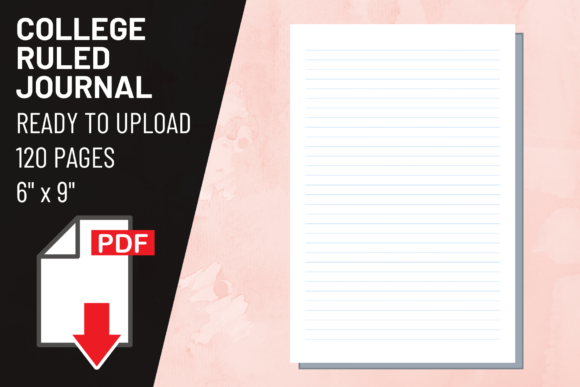
KDP Interior College Ruled Journal: Ensuring Print Quality and Usability
Creating a successful low-content book on Amazon requires more than just a creative cover; the interior experience dictates whether a customer leaves a five-star review or returns the product. When publishing a KDP Interior College Ruled Journal, the technical specifications are just as important as the aesthetic appeal. Many creators focus heavily on niche research and keyword optimization but overlook the fundamental usability of the 6″ x 9″ format. A college ruled journal serves a specific functional purpose for students, professionals, and note-takers who require more writing space per page than wide-ruled alternatives. Understanding the precise requirements of this format prevents common publishing errors that can render an otherwise beautiful book unusable.
The Critical Importance of Line Spacing Accuracy
The most frequent mistake encountered with college ruled interiors is incorrect line spacing. True college ruling, also known as medium ruling, typically measures 9/32 inch (7.1 mm) between horizontal lines. This is distinct from wide ruling (11/32 inch) and narrow ruling (1/4 inch). Many generic templates found online are mislabeled, leading to user frustration when the physical book arrives. If you are utilizing a pre-made KDP Interior College Ruled Journal package, verifying the exact measurement is mandatory before uploading.
Inaccurate spacing affects the perceived value of the book immediately. Adult users, particularly professionals and university students, have muscle memory associated with standard notebook sizing. Lines that are too far apart waste paper and feel juvenile, while lines that are too close make handwriting difficult and cramped. Before finalizing your upload, open the PDF file and use the measurement tool in your viewer to confirm the distance between baselines. Do not assume a file named "college ruled" is accurate. Taking thirty seconds to verify this specification saves weeks of potential negative feedback regarding poor formatting.
Understanding No Bleed Specifications for 6x9 Interiors
A significant source of printing errors stems from misunderstanding bleed settings. The package described here includes a no bleed PDF at 300 dpi for a 6″ x 9″ trim size. This distinction is vital because it dictates where content can safely exist on the page. In a no bleed configuration, the printed area does not extend to the very edge of the paper. You must maintain a safe margin, typically at least 0.25 inches on all sides, though 0.375 inches on the gutter (binding side) is safer for a 120-page book.
Problems arise when creators attempt to modify a no bleed file to add decorative borders or full-page backgrounds without adjusting the canvas size. Stretching a 6″ x 9″ no bleed file to accommodate bleed results in distorted lines and margins. Conversely, placing text or lines too close to the trim line in a no bleed file risks them being cut off during the mechanical trimming process at the print facility. Always respect the original dimensions of the provided PDF. If your design vision requires edge-to-edge printing, you need a separate bleed-enabled template rather than forcing modifications onto a no bleed document.
Evaluating Resolution and Print Clarity
While 300 dpi is the industry standard for print, not all 300 dpi files are created equal. A common oversight is assuming resolution alone guarantees quality. The sharpness of the vector lines or high-resolution raster elements matters significantly for lined journals. Fuzzy or pixelated horizontal lines create visual noise that makes writing unpleasant and causes eye strain. When evaluating a KDP Interior College Ruled Journal interior, zoom in to 100% on the PDF to inspect the crispness of the ruling.
Poor line definition often results from upscaling lower-resolution images to meet the 300 dpi requirement. Metadata might say 300 dpi, but if the source was 72 dpi web graphics, the print output will be soft and unprofessional. High-quality interiors use vector-based lines or properly scanned high-density masters. Since this package specifies a high-quality PDF, users should still perform a visual check. Blurry lines suggest amateur production values, which directly correlates to lower sales conversion rates. Customers expect clean, sharp guidelines that do not compete visually with their own handwriting.
Page Count and Binding Considerations
The 120-page count included in this package is a strategic choice for the 6″ x 9″ trim size, yet some publishers mistakenly believe thicker is always better. For college ruled journals intended for daily carry or academic use, excessive bulk reduces portability and increases spine width, which complicates cover design alignment. A 120-page book strikes a balance between substantial utility and manageable weight. It provides enough space for a semester’s notes or several months of journaling without becoming unwieldy.
However, issues occur when creators add extra pages to reach arbitrary targets without considering paper opacity. Standard KDP white paper has limitations. With 120 pages, ghosting (seeing writing through the other side) is minimal, but adding significantly more pages with heavy ink usage can degrade the experience. Stick to the optimized page count unless you have a specific reason to deviate. Furthermore, ensure your cover spine calculation matches exactly 120 pages on white paper. Even a two-page discrepancy can cause the spine text to wrap onto the front or back cover, resulting in automatic rejection or a misaligned print.
Functional Design Elements Beyond the Lines
A usable KDP Interior College Ruled Journal offers more than just horizontal lines. Overlooking functional metadata fields is a missed opportunity for user satisfaction. Professional and student demographics appreciate headers, date fields, page numbers, and index pages. These elements transform a generic stack of paper into a structured organizational tool. When using a ready-made PDF package, assess whether these features are present and correctly positioned within the safe zone.
If the template lacks these elements, consider whether the minimalist approach aligns with your target audience's expectations. Some niches prefer blank headers for maximum flexibility, while others demand structured layouts. The mistake lies in failing to match the interior functionality to the marketing promise. Selling a "planner" or "organized notebook" with a bare-bones lined interior leads to mismatched expectations. Review the PDF contents against your book description. Ensure that any included tables, indexes, or reference pages are legible and aligned consistently with the main body text. Consistency signals professionalism.
Verifying File Integrity Before Upload
Technical failures during the KDP upload process often trace back to corrupted or non-compliant PDF files. Even a high-quality 300 dpi file can become damaged during transfer or storage. Before uploading your KDP Interior College Ruled Journal, validate the PDF integrity. Check that the page size is exactly 6″ x 9″ with no hidden layers or extraneous metadata that could confuse the ingestion system. Flatten the PDF if necessary to prevent font embedding issues or layer shifting.
Additionally, test the file by printing a single page on your home printer at actual size. This physical proof reveals margin issues, contrast problems, and spacing inaccuracies that screens cannot display. Digital previews are helpful but imperfect. Holding a physical test page allows you to write on the lines with your preferred pen, checking for adequate spacing and ink absorption simulation. This small investment of time and paper prevents the costly mistake of approving a proof copy that is fundamentally flawed. Treat the digital file as a manufacturing blueprint; precision in preparation ensures excellence in the final product.